The voiceover UGC format separates audio from video, allowing creators to record crisp narration in a closet or quiet room while filming hands-only B-roll, screen recordings, or lifestyle footage separately. This format is ideal for camera-shy creators, complex product demonstrations, and multilingual content, and it typically reduces filming anxiety by 80% while giving editors maximum flexibility to cut visuals precisely to the script.
“I have severe camera anxiety. Every time I looked into the lens, my voice went up two octaves and my hands shook. I switched to voiceover UGC — filming product close-ups with my phone while reading a script into a $20 mic in my closet. My first voiceover video landed a $400 brand deal because the brand said my narration felt ‘intimate and professional, like a podcast ad.’ I have not shown my face in a video for six months, and my income has never been higher.”
— Priya S., UGC Creator (Home & Tech), $5.9K/month
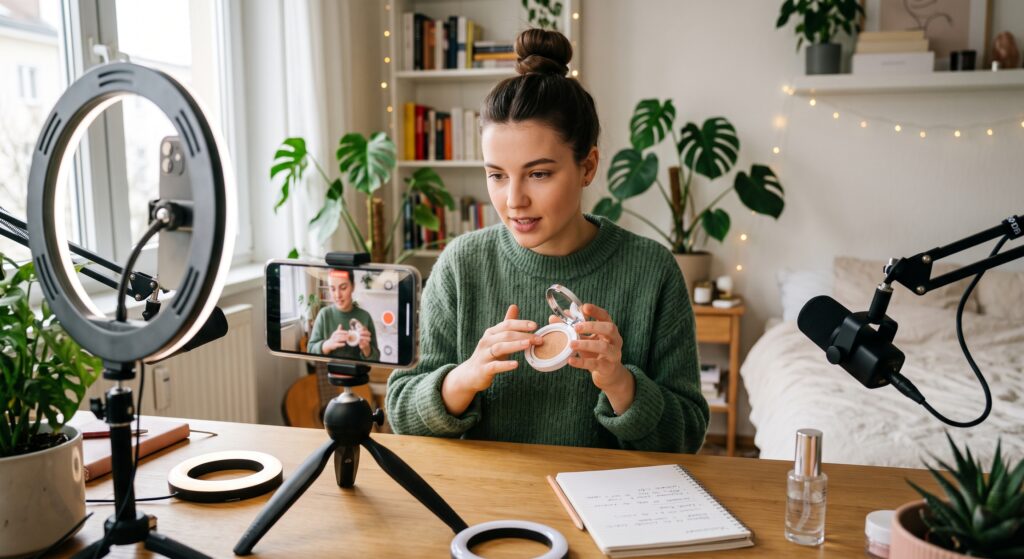
A creator films an aesthetic cosmetic product demonstration on a smartphone for a voiceover UGC video.
Why Voiceover UGC Dominates Certain Niches
Not every creator wants to be the face of the brand. Not every product benefits from a talking head. The voiceover UGC format solves both problems by decoupling the personality from the visual. The result is content that feels authoritative, cinematic, and focused entirely on the product rather than the creator’s appearance.
Brands on the UGC Creator Marketplace specifically request voiceover formats for three categories of campaigns. Complex products — software, kitchen appliances, DIY tools — require detailed explanation that is easier to follow when the viewer sees the product in action while hearing clear narration. Aspirational products — home decor, luxury goods, organizational systems — benefit from cinematic visuals that would be interrupted by a face in the corner of the frame. Scalable campaigns — brands running dozens of UGC variations for A/B testing — prefer voiceover because one script can be paired with multiple visual cuts, giving their media buyers more testing assets from a single creator.
The format also eliminates the single biggest psychological barrier for new UGC Creators: the fear of being watched. When you are not on camera, you can record your audio in perfect conditions, make mistakes without wasting a visual take, and deliver polished narration that sounds like a professional voice actor rather than a nervous beginner.
The Voiceover UGC Framework: Two-Track Production
Professional voiceover UGC is not simply filming random clips and talking over them. It is a deliberate two-track system where the audio script drives the visual shot list. Call this the Voiceover UGC Framework.
Track What You Record When You Record It
Audio Track Clean voice narration First, in a quiet with complete script closet or padded room
Visual Track Hands-only B-roll, Second, following the product hero shots, shot list derived from screen recordings, the script lifestyle context
Recording the audio first is counterintuitive for beginners, but it is the professional standard. When you have the final narration in your ears, you know exactly how long each visual needs to be, where the pauses fall, and which sentences require a matching close-up. Filming visuals first and forcing narration to fit them creates awkward pacing and rushed explanations.
The Audio Track: Recording Studio-Quality Voiceover in a Closet
Your voice is the star of this format. It must be close, warm, and free from room echo. The good news is that you already own a professional voiceover booth: your closet.
The Closet Studio Setup: Push hanging clothes to one side to create a small recording space. Place your phone on a shelf at mouth level. Enable airplane mode. Record a 10-second test and listen for echo. If you hear hollowness, pull more clothes into the space behind you. The fabric absorbs sound reflections better than a $200 microphone in a bare room.
The Script Style for Voiceover: Unlike face-to-camera talking points, voiceover scripts should be written to be read, not spoken off the cuff. Use complete sentences. Mark breath points with a slash. Underline words that need emphasis. Keep sentences shorter than you think — 15 words maximum — because narration without visual facial cues feels faster to the listener.
The Three-Take Rule for Audio: Record the full script three times in one session. The first take warms up your voice. The second take is usually the cleanest. The third take gives you insurance. Never record more than three full reads in a row; vocal fatigue makes your tone flat and your consonants sloppy.
The Visual Track: Building a Shot List from Your Script
Once your audio is recorded and edited to final length, play it through with headphones and pause after every sentence. Ask: “What should the viewer see while I say this?” The answer becomes your shot list.
Sentence:“This serum absorbs in under ten seconds without any greasy residue.”Shot: A tight close-up of the serum dropping onto skin, spreading, and disappearing within the exact 10-second window of the narration.
Sentence:“I use this stand every single day for my eight-hour work sessions.”Shot: A time-lapse or quick montage of hands typing, coffee placed beside the stand, and the clock advancing.
Sentence:“The app dashboard gives you real-time analytics that actually make sense.”Shot: A clean screen recording with a finger tapping through the dashboard while the narration explains each section.
Each visual must prove the audio claim. If your narration says the product is “lightweight,” the visual should show it floating in your hand or being tossed gently. If your narration says it is “easy to set up,” the visual must show the setup process in under five seconds. Mismatched audio and visuals destroy credibility.
The 5 Voiceover UGC Archetypes That Convert
After analyzing high-performing voiceover UGC on UGC.Store, five distinct visual styles emerge. Master one as your primary format, then expand.
The Cinematic Montage. Slow, deliberate shots of the product in a beautiful environment — morning light on a kitchen counter, steam rising from a coffee maker, fabric folding perfectly. The voiceover is calm, almost whispered. This archetype sells luxury, wellness, and home products.
The Fast-Paced Tutorial. Quick cuts synced to a rapid narration. Hands move, ingredients combine, screens swipe. Every sentence triggers a new visual. This archetype sells software, kitchen gadgets, beauty tools, and fitness equipment.
The POV Experience. The camera sees exactly what the user sees: opening a box, unwrapping tissue paper, clicking through an app. The voiceover narrates the internal monologue of the experience. This archetype sells unboxing, tech accessories, and subscription boxes.
The Split-Screen Comparison. One side shows the problem, the other shows the solution. The voiceover walks the viewer through the transformation. This archetype sells cleaning products, organizational tools, skincare, and fitness gear.
The ASMR Detail Dive. Extreme close-ups of textures, sounds, and mechanisms. The voiceover is soft and descriptive, focusing on sensory details. This archetype sells beauty, food, textiles, and premium packaging.
Syncing Audio and Video on Your Phone
You do not need professional editing software to match voiceover to visuals. Mobile editors handle this workflow natively.
In CapCut: Import your B-roll clips to the timeline first. Import your audio file as a separate track. Trim the clips to match the narration using the split tool. When you say “look at this texture,” place the close-up shot exactly over those words. Use J-cuts and L-cuts — letting audio lead or follow the visual change by half a second — to create smooth transitions.
The Pacing Rule: Never let a single visual clip run longer than 4 seconds unless the narration specifically demands it. The human eye on social media expects a cut every 2–3 seconds. Long static shots kill retention, even with great audio.
The Caption Layer: Because voiceover UGC relies entirely on audio to carry the message, burned-in captions are mandatory. A viewer watching without sound must still understand the narrative. Auto-caption your voiceover track, proofread for brand names, and style the text to match the video’s energy.
Common Voiceover UGC Mistakes That Brands Reject
The Disembodied Monotone. You are not on camera, so your voice becomes the only personality in the frame. A flat, robotic narration sounds like an automated phone system. Vary your pitch, pause for emphasis, and smile while speaking — the smile translates audibly into warmth.
The Visual-Audio Mismatch. Your narration describes a feature while the screen shows something unrelated. If you say “the battery lasts 48 hours,” the viewer must see a battery indicator or a clock, not a random product angle. Every sentence needs a visual partner.
The Echo Chamber. Recording voiceover in a bathroom, kitchen, or empty bedroom destroys professionalism. The reverb tells the brand you do not understand basic audio production. Use the closet trick. It costs nothing.
The Script Wall. You wrote 400 words for a 30-second video. Voiceover scripts must be tighter than face-to-camera scripts because there are no facial expressions or hand gestures to fill the gaps. Read your script aloud and time it. A 30-second video needs 60–75 words maximum.
The Missing Hook. Voiceover videos often open with slow establishing shots and no immediate promise. The first 3 seconds still need a scroll-stopping hook. Open with a surprising visual — a splash, a transformation, a bold text overlay — while your voice delivers the opening line.
[ ] I record the audio track first in a quiet, soft-surfaced space
[ ] My script is written for reading, with short sentences and marked breath points
[ ] I film visuals using a shot list derived directly from the narration
[ ] Every audio claim has a matching visual proof within 2 seconds
[ ] No single visual clip exceeds 4 seconds without narrative justification
[ ] I auto-caption the voiceover and proofread for accuracy
[ ] My audio is free from echo, hum, and mouth-click artifacts
[ ] The first 3 seconds contain a visual hook that stops the scroll
FAQ: Voiceover UGC for Beginners
What is voiceover UGC?
Voiceover UGC is a content format where the creator records narration separately from the visuals, then pairs clean audio with hands-only footage, product B-roll, screen recordings, or lifestyle shots. The creator’s face never appears on camera.
Do I need a professional microphone for voiceover UGC?
No. A $15–$30 lapel microphone or even your phone’s voice memo app recorded in a closet filled with clothes produces professional-quality voiceover audio. Proximity to the mic and a quiet, soft-surfaced environment matter more than equipment price.
How do I sync voiceover audio with my video clips?
Import your audio file into a mobile editor like CapCut as a separate track. Lay your visual clips on the video timeline and trim them to match the narration. Place specific shots — close-ups, demonstrations, text screens — directly over the sentences that describe them.
Can voiceover UGC convert as well as face-to-camera content?
Yes. In many niches — tech, SaaS, home organization, cooking, and luxury goods — voiceover UGC outperforms face-to-camera content because it keeps the product as the hero and eliminates viewer bias about the creator’s appearance. Conversion depends on script quality and visual proof, not facial presence.
How long should a voiceover UGC script be?
For a 30-second video, write 60–75 words. For 60 seconds, 120–140 words. Voiceover pacing feels faster than face-to-camera because there are no visual pauses or gestures to slow the rhythm. Time yourself reading aloud and cut mercilessly.
Should I use AI voiceover instead of my own voice?
Brands on UGC.Store overwhelmingly prefer authentic human voices. AI voiceover is detectable and undermines the core value of UGC: real human experience. Use your own voice, even if it is not broadcast-perfect. Authenticity converts better than synthetic polish.
Your Voice Is Enough
You do not need to show your face to build a full-time UGC career. You do not need to memorize scripts on camera, worry about your appearance, or battle camera anxiety. You need a quiet closet, a clear script, a collection of deliberate product shots, and the discipline to sync them into a seamless story.
The voiceover UGC format proves that in the UGC Creator Marketplace, substance beats spectacle. When your narration is tight, your visuals are purposeful, and your audio is clean, brands hear a professional. And professionals get hired regardless of whether their face ever appears on screen.
Record your first voiceover script this week. Film the B-roll tomorrow. Sync them in CapCut. And deliver a video that proves your voice alone is worth the brand’s budget.