
Batch Filming for Beginners: Shoot a Week of UGC Content in One Afternoon
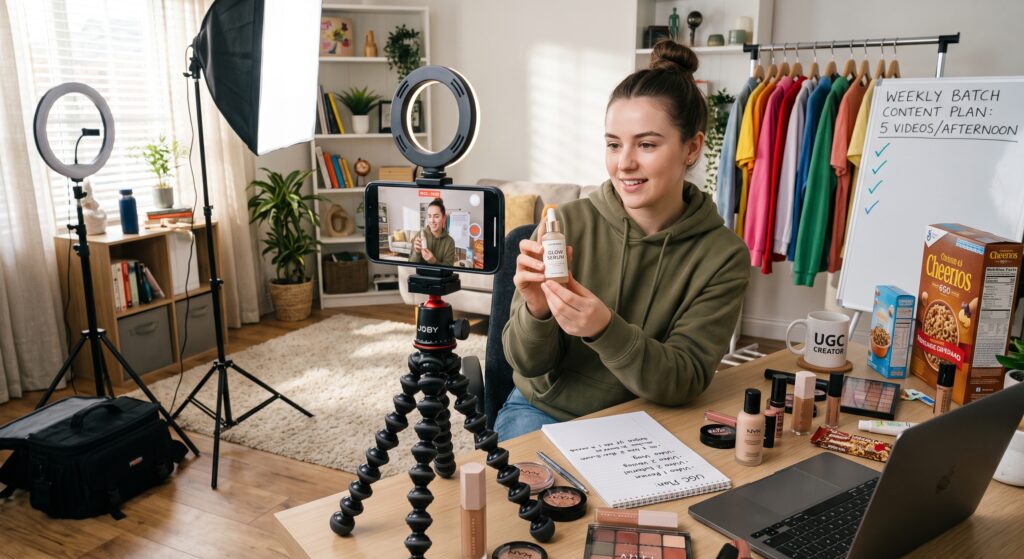
Batch filming is the practice of recording multiple UGC videos in a single concentrated session instead of filming one video per day. Beginners using the Batch Block Method can produce 5–7 deliverable videos in one 4-hour afternoon by preparing all products, scripts, and setups in advance, locking camera settings, and filming in format-based blocks rather than project-by-project. This system cuts weekly production time by 70%, guarantees consistent lighting across your entire portfolio, and frees the rest of your week for pitching brands and editing deliverables.
“I used to film one video every evening after work. By the time I set up my lights, wrote a hook, and found the product, I had spent two hours for a single 30-second clip. Then I switched to batch filming every Sunday afternoon. I now shoot 8–10 videos in 4 hours, my lighting is identical across every clip, and I have six evenings per week free to apply for gigs on UGC.Store. My income tripled in 90 days because I stopped being a daily amateur and started being a weekly professional.”
— Derek H., UGC Creator (Tech & Fitness), $6.8K/month
Why Batch Filming Is the Productivity Engine of Full-Time UGC Creators
The biggest hidden cost in beginner UGC workflows is not filming time. It is setup time. Every time you pull out your tripod, adjust your ring light, test your audio, and position your phone, you burn 15–20 minutes before the first word is spoken. Film one video per day, and you lose two hours per week to repetition. Film five videos in one session, and you pay the setup tax exactly once.
Batch filming creates three advantages that separate hobbyists from professionals on the UGC Creator Marketplace. First, lighting consistency: when all your videos share the same afternoon sun or the same bulb temperature, your portfolio looks cohesive and intentional. Second, mental flow state: once you are warmed up on camera, your delivery improves with each take. The fifth video you film is almost always better than the first. Third, schedule liberation: compressing production into one block leaves six days open for high-value activities like cold outreach, portfolio optimization, and skill learning.
Brands do not care when you filmed the video. They care how professional it looks and how fast you can deliver it. Batch filming makes both inevitable.
The Batch Block Method: A 4-Hour Production Framework
Professional UGC Creators do not wander into filming. They schedule it like a flight departure. The Batch Block Method divides one afternoon into four distinct phases, each with a hard start and stop time. Use a phone timer. Do not let one block bleed into the next.
Block Time Activity Target Output
1 0:00–0:30 Pre-Production All products staged, scripts & Staging printed, batteries charged
2 0:30–1:00 Setup & Testing Camera locked, lights set, (The Rehearsal) test clip approved
3 1:00–3:30 The Filming Sprint 5–7 videos filmed with multiple takes each
4 3:30–4:00 Strike & Backup Gear packed, files renamed, RAW copied to cloud
The total investment is four hours. The return is a full week of content ready for editing.
Block 1: Pre-Production (30 Minutes)
This block happens before you touch the camera. Lay every product on a clean table in the order you will film them. Print or write your talking points on index cards — one card per video. Stack them in filming sequence. Charge your phone to 100% and clear at least 20 GB of storage. Place a water bottle, a towel, and a lint roller within arm’s reach.
The Product Staging Rule: Arrange your products from least messy to messiest. If you are filming a skincare routine, start with the cleanser (rinses off easily) and end with the oil serum (leaves residue on your hands). If you are filming food content, start with dry ingredients and end with sauces. This prevents cross-contamination and reduces cleanup time between setups.
The Script Card System: Each index card contains exactly three items: the hook (written out word for word), the proof bullets (3–5 loose prompts), and the product name. Do not write full scripts. Cards force brevity and keep your eyes off a phone screen during filming.
Block 2: Setup & Testing (30 Minutes)
This block determines whether your batch succeeds or collapses. Do not rush it.
Position your camera, lock your exposure and white balance, and record a 15-second test clip. In the test, hold up the first product, speak one sentence, and move your hands. Then review the footage on a laptop screen, not your phone. Check four things: is your face evenly lit? Is the product label legible? Is the audio clean? Is the background free of distractions?
If any element fails, fix it now. Adjusting a light stand between videos during the sprint costs you momentum. Fixing it during setup costs you two minutes.
The Locked Settings Checklist: – Exposure locked (no auto-brightening mid-take) – White balance locked (consistent color across all videos) – Focus locked on your face or the product hero position – Do Not Disturb enabled on your phone – Airplane mode activated (no notification vibrations)
Block 3: The Filming Sprint (2.5 Hours)
This is the core production block. You are not allowed to check Instagram, answer texts, or reorganize your room. You are in sprint mode.
Film by format, not by brand. Shoot all your testimonials back-to-back, then all your tutorials, then all your unboxings. This is called format blocking, and it preserves your mental model for each video type. Your testimonial energy stays warm and personal across three videos. Your tutorial energy stays instructional and clear across two videos. Switching formats every video is mentally expensive.
The 3-Take Rule: For each video, film the hook three times with different energy levels — calm, enthusiastic, skeptical. Then film the full body twice. Then capture B-roll: your hands holding the product, the texture close-up, the result shot. Move to the next product. Do not chase perfection. You have editing software for that.
The 10-Minute Reset: Every 45 minutes, stop for 10 minutes. Step away from the camera. Drink water. Stretch your jaw. Look at something 20 feet away to rest your eyes. These resets prevent the “batch fatigue” that makes your 6th video look like you are reading a hostage statement.
Block 4: Strike & Backup (30 Minutes)
The moment filming ends, your files are in danger. A dropped phone, a corrupted SD card, or a spilled coffee can destroy an entire afternoon of work in seconds.
The Immediate Backup Protocol: Before you pack a single cable, transfer every file from your phone to your laptop or cloud storage. Create the project folder on the spot using the UGC Naming Protocol — YYYY-MM-DD_Batch_Beauty_5Videos. Sort files into 01_RAW subfolders for each video. Confirm the transfer is complete by spot-checking three random files. Only then are you allowed to delete footage from your camera roll.
The Strike Routine: Wipe down every product. Coil cables in the same direction every time. Return your light stand to the exact corner where it lives. A 5-minute strike today means a 5-minute setup next week, not a 20-minute archaeological dig through your bedroom.
The Pre-Batch Day Checklist
Run through this checklist the night before your batch session. Every unchecked box is a potential 15-minute delay.
- [ ] All products are clean, charged, and physically present
- [ ] Scripts are reduced to hook + 3 bullet points per video
- [ ] Phone storage has 20+ GB free space
- [ ] Batteries charged (phone, microphone, light remote if applicable)
- [ ] Filming space is cleared of clutter and laundry
- [ ] Window light or artificial light is tested and marked with tape
- [ ] Water, towel, and lint roller are on the filming table
- [ ] Calendar is blocked for 4 hours with Do Not Disturb enabled
Common Batch Filming Mistakes That Waste Entire Afternoons
Even organized creators sabotage their batch sessions with these specific errors:
The Setup Drift. You start filming at 2 PM in golden window light. By 4 PM the sun has moved, your key light is gone, and your last three videos look like they were filmed in a different country. The fix: film with artificial light or blackout curtains, or schedule your sprint entirely within the 10 AM–12 PM stability window.
The Script Overload. You brought full word-for-word scripts for seven videos. Reading them on camera takes twice as long as talking from bullets, and your delivery dies. The fix: trust the bullet-point system. If you cannot explain a product in three loose prompts, you do not understand the product well enough to film it.
The Format Roulette. You alternate between testimonial, tutorial, unboxing, and lifestyle every single video. By video four, your brain is exhausted from context-switching. The fix: group identical formats together. Your energy will compound, not deplete.
The No-Backup Catastrophe. You filmed seven perfect videos, celebrated with dinner, and dropped your phone in the parking lot. The fix: backup before celebration. Always.
FAQ: Batch Filming for UGC Beginners
What is batch filming in UGC?
Batch filming is the practice of recording multiple UGC videos in a single concentrated session rather than filming one video per day. It reduces setup time, guarantees consistent lighting and audio, and compresses a week of production into one afternoon.
How many videos can a beginner realistically film in one batch session?
A beginner using the Batch Block Method can film 5–7 complete videos in 4 hours, including setup and breakdown. With experience, this expands to 8–10 videos per session. The limit is usually energy and vocal fatigue, not time.
How do I keep my energy authentic when filming multiple videos back-to-back?
Use format blocking (grouping identical video types) and the 10-Minute Reset every 45 minutes. Film three variations of each hook with different emotional registers so you can choose the most natural during editing. Drink water and avoid heavy meals before filming.
Should I edit my videos immediately after a batch filming session?
No. Editing requires a different mental state than filming. Schedule editing for a separate day. Your batch session should end after Block 4 (Strike & Backup). Editing with fresh eyes the next day produces better results and prevents burnout.
How do I prevent all my batch-filmed videos from looking identical?
Change small variables between videos: your shirt color, the product angle, your position in the frame, or the background prop. Keep the lighting consistent for portfolio cohesion, but vary the visual details so brands see range, not repetition.
One Afternoon, One Week, One Career
The creators who earn full-time incomes on the UGC Creator Marketplace are not the ones who film every day. They are the ones who film with intention, compress their production into focused blocks, and spend the rest of their time building the business around their content. Batch filming is not a life hack. It is the operational foundation of a professional UGC career.
Pick one afternoon this week. Clear your calendar. Stage your products. Lock your settings. And film five videos before dinner. When you wake up the next morning with an entire week of content already captured, you will understand why batch filming is the single most powerful habit a beginner UGC Creator can adopt.
Start building your batch filming system on UGC.Store and turn one afternoon per week into a full-time creative income.
